New in version 1.2
Log a workout from a photo of the display
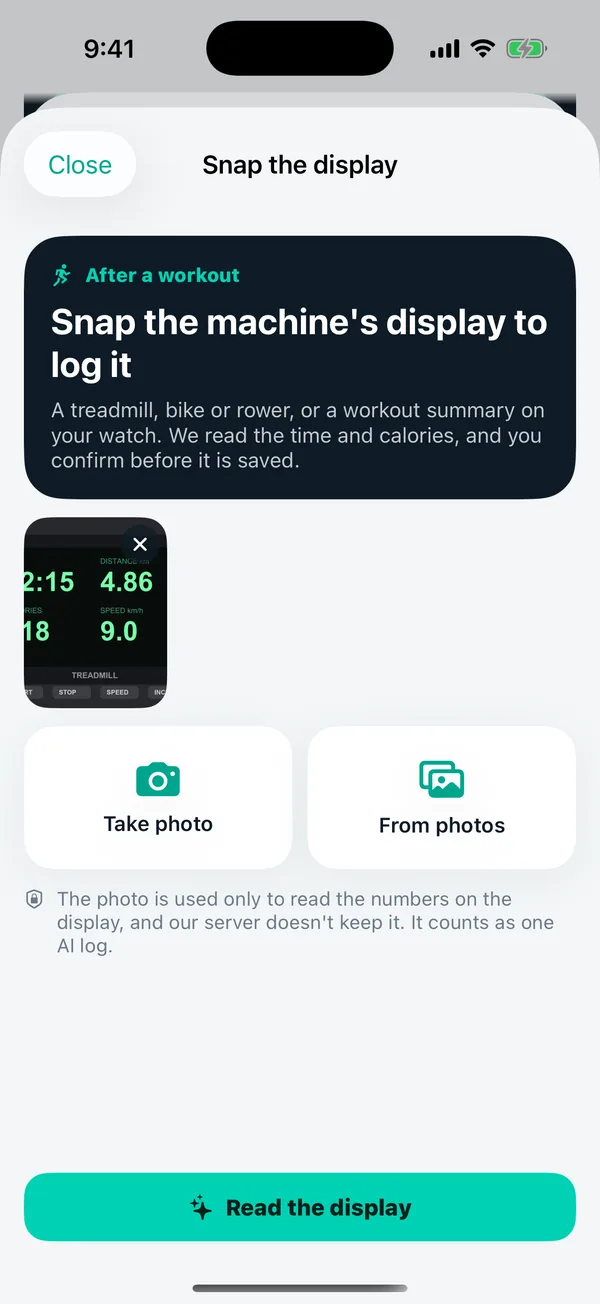
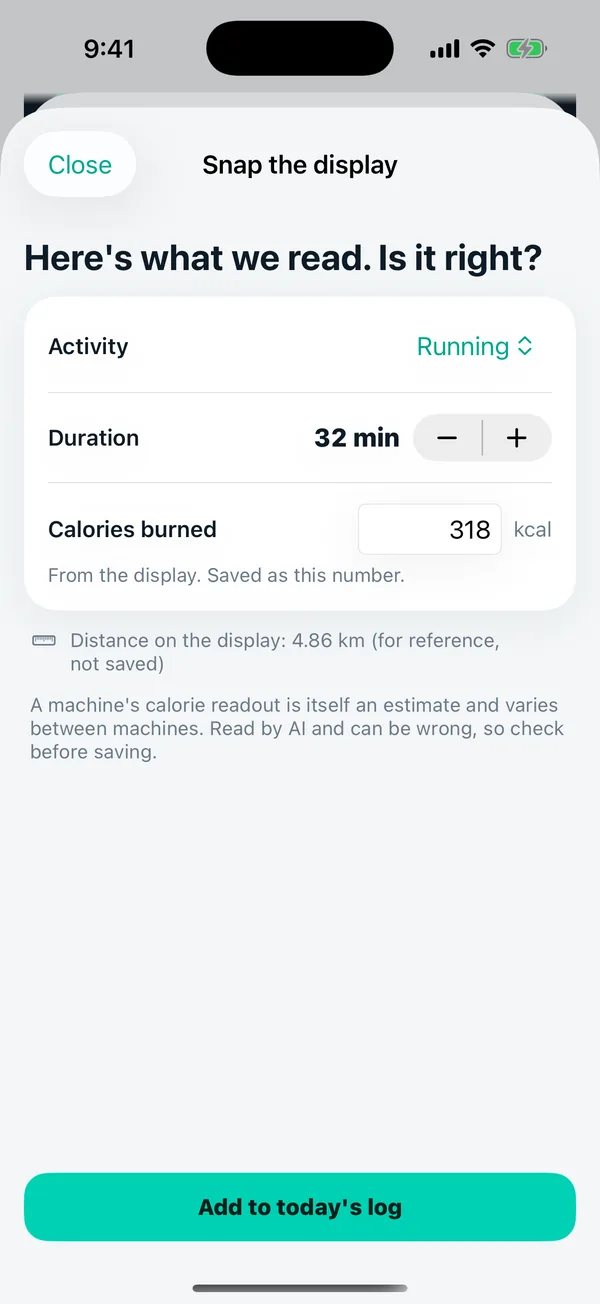
Take a photo of a treadmill, bike or rower display, or a watch workout summary. BiteJot AI reads the activity, time and calories, and you check them before saving.
New in version 1.2
Snap the display. The workout is logged.
Finished on a treadmill, bike or rower? Take a photo of its display, or of the workout summary on your watch. The AI reads the activity, time and calories, and you check them before anything is saved.
- Treadmill, bike, rower or a watch workout summary.
- Check every number and change it before saving.
- Not counted twice when Apple Health already recorded the same workout.
- An estimate, not a measurement. Calorie readouts vary between machines.
Questions
Can it log a workout from a treadmill display?
Yes, in version 1.2. Take a photo of a treadmill, bike or rower display, or of a workout summary on your watch. The AI reads the activity, time and calories, and you check and change them before saving. It counts as one AI log. A machine's calorie readout is itself an estimate.
Read: Are treadmill calorie numbers accurate? →
Calories are estimates. BiteJot AI gives general information, not medical advice. For adults 18 and over. AI features are not available in mainland China, Hong Kong or Macao.